

Accessing the Organizations page
To open the Organizations page, click the Organizations option in the Foundation section of the left sidebar menu. The Organizations page lists all your Organizations.
Available actions
From the Organizations page, you can:Create an Organization
Edit an Existing Organization
Delete an Organization
Multiple Organizations
You can also open the Organizations page from the navigation bar. Click the Organization icon in the left navigation bar. Then select Organizations in the pop-up window (Figure 1).
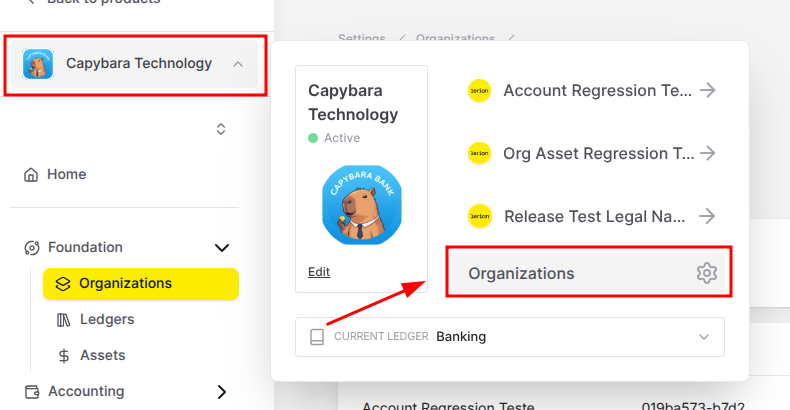
Figure 1. Alternative options to open the Organizations page for multiple Organizations.