

Accessing the Audit Logs page
Navigate to Matcher → Reporting → Audit Logs in the left sidebar.
Verifying chain integrity
The Tamper-evidence panel sits above the filters. Click Verify integrity to re-verify the tenant audit hash chain. The check is read-only — it never alters a record — and returns one of two verdicts:
If the chain is longer than the inspection bound, the intact verdict notes that only the first records from the chain start were inspected and the most recent entries were not checked. A failed request shows an error with a Retry button — it is not a verdict.
Filters
Use the filter bar to narrow results. Actor, Action, and Entity type are free-text fields (up to 50 characters each), not dropdowns:
Click Apply filters to run the search. Applying filters resets pagination to the first page.
Audit log table
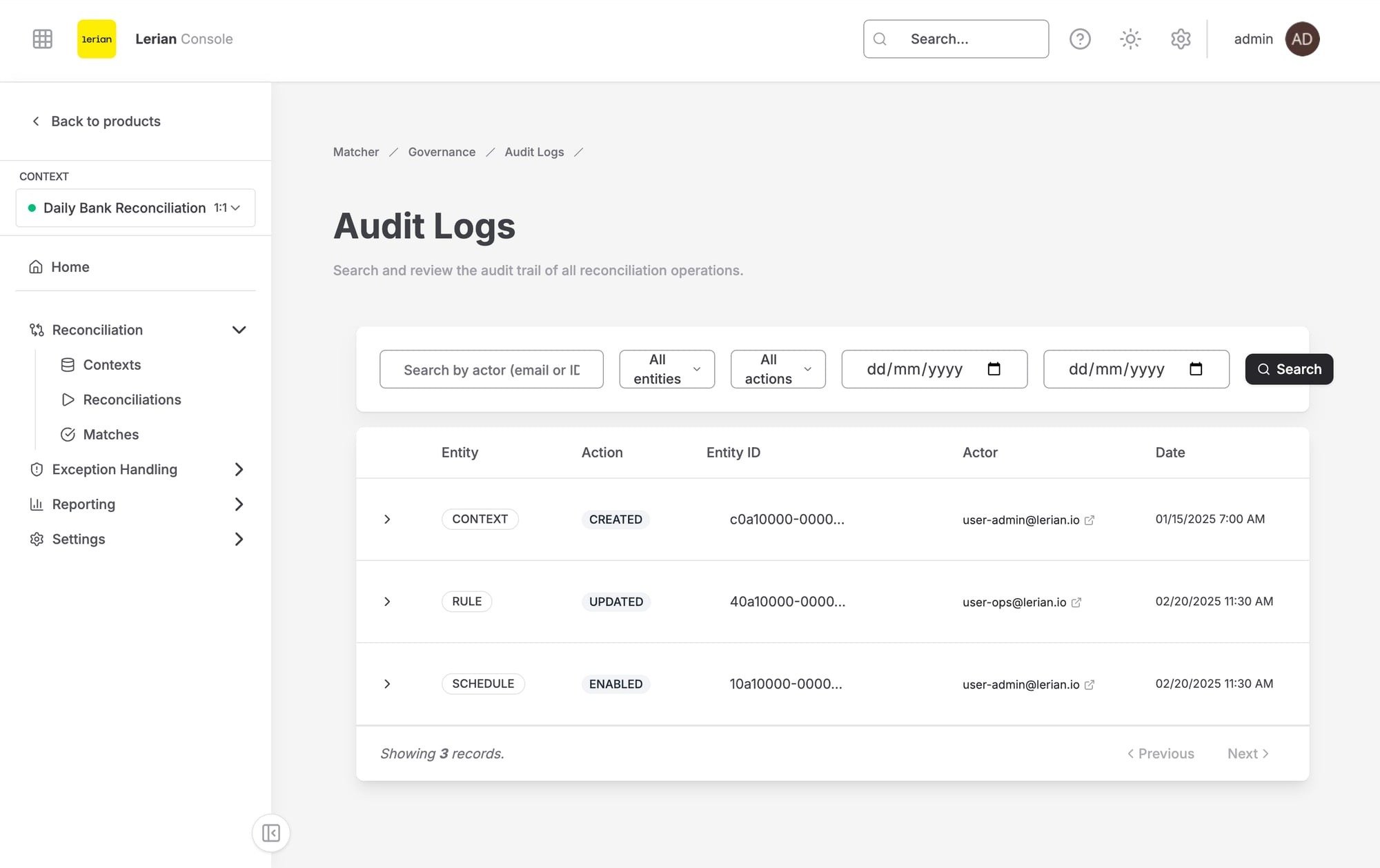
Figure 1. Audit Logs table.
Use the Previous and Next buttons in the table footer to page through results. The footer also shows the current page number and the number of events on that page.
Viewing change details
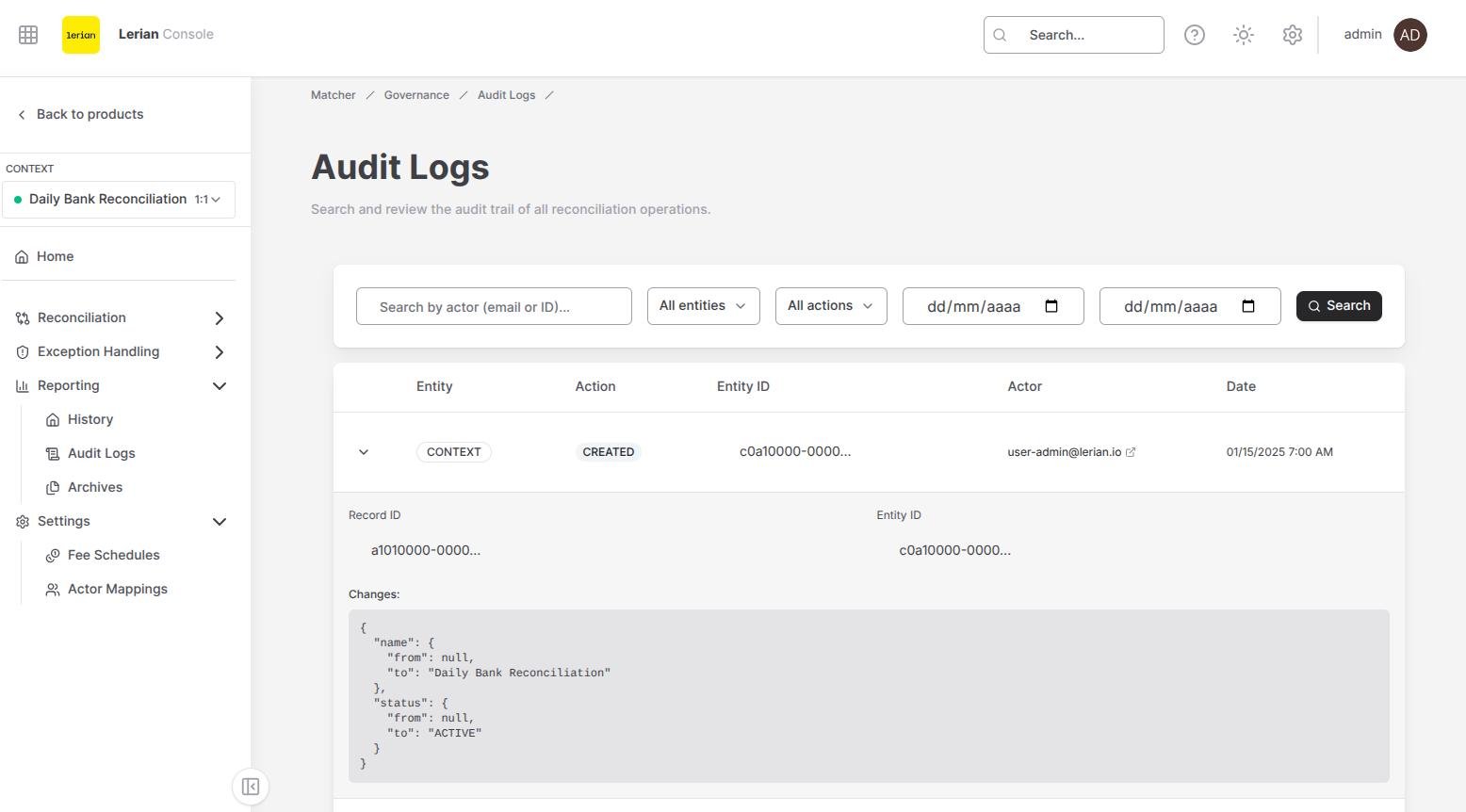
Figure 2. Audit log changes panel showing the recorded JSON change set.
If the original diff was larger than the audit payload cap, the row shows a Diff truncated marker and the panel explains that the full change set was replaced with a marker envelope. The complete diff is not recoverable from that record.