

Documentation Index

Fetch the complete documentation index at: https://docs.lerian.studio/llms.txt

Use this file to discover all available pages before exploring further.

You can manage your Organizations directly from the Midaz module with ease and ensure your configurations align with your evolving business needs.

Accessing the Organizations page


To open the Organizations page, click the Organizations option in the Foundation section of the left sidebar menu. The Organizations page displays a list of all created Organizations, providing a centralized view for management.

Available actions

From the Organizations page, you can:

Create an Organization

Edit an Existing Organization

Delete an Organization

Multiple Organizations


If you have more than one Organization, you can also access the Organizations page by clicking the Organization icon from the left-side navigation bar and selecting Organizations from the pop-up window. (Figure 1).
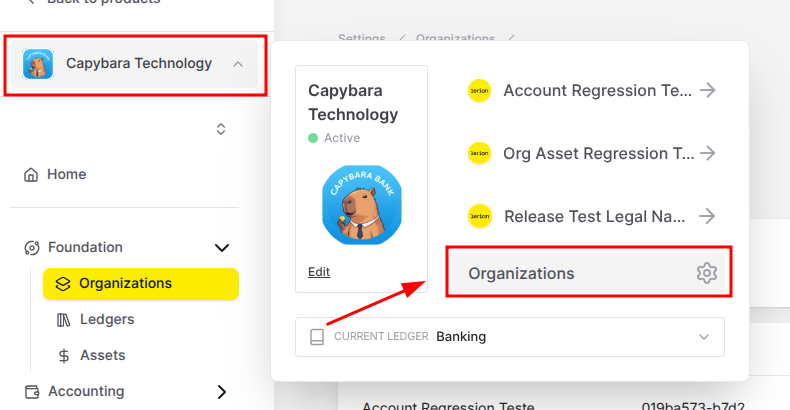
Changing Organizations

If you want to work on a different Organization, you can select it using the same pop-up window. To do so, select the cog icon (). You will be redirected to the Organization page. From there, find the Organization you want, click three dots () in the Action collumn and select Switch to this organization.