

How it works
- A customer at another bank initiates a TED transfer addressed to one of your institution’s accounts
- Every 60 seconds (default
JD_POLL_INTERVAL_SECONDS), the plugin polls the JD SPB network for new incoming transfers - The recipient account is validated against your CRM using the document number in the transfer message
- The amount is credited to the recipient’s account automatically (minus the cashin fee, if configured)
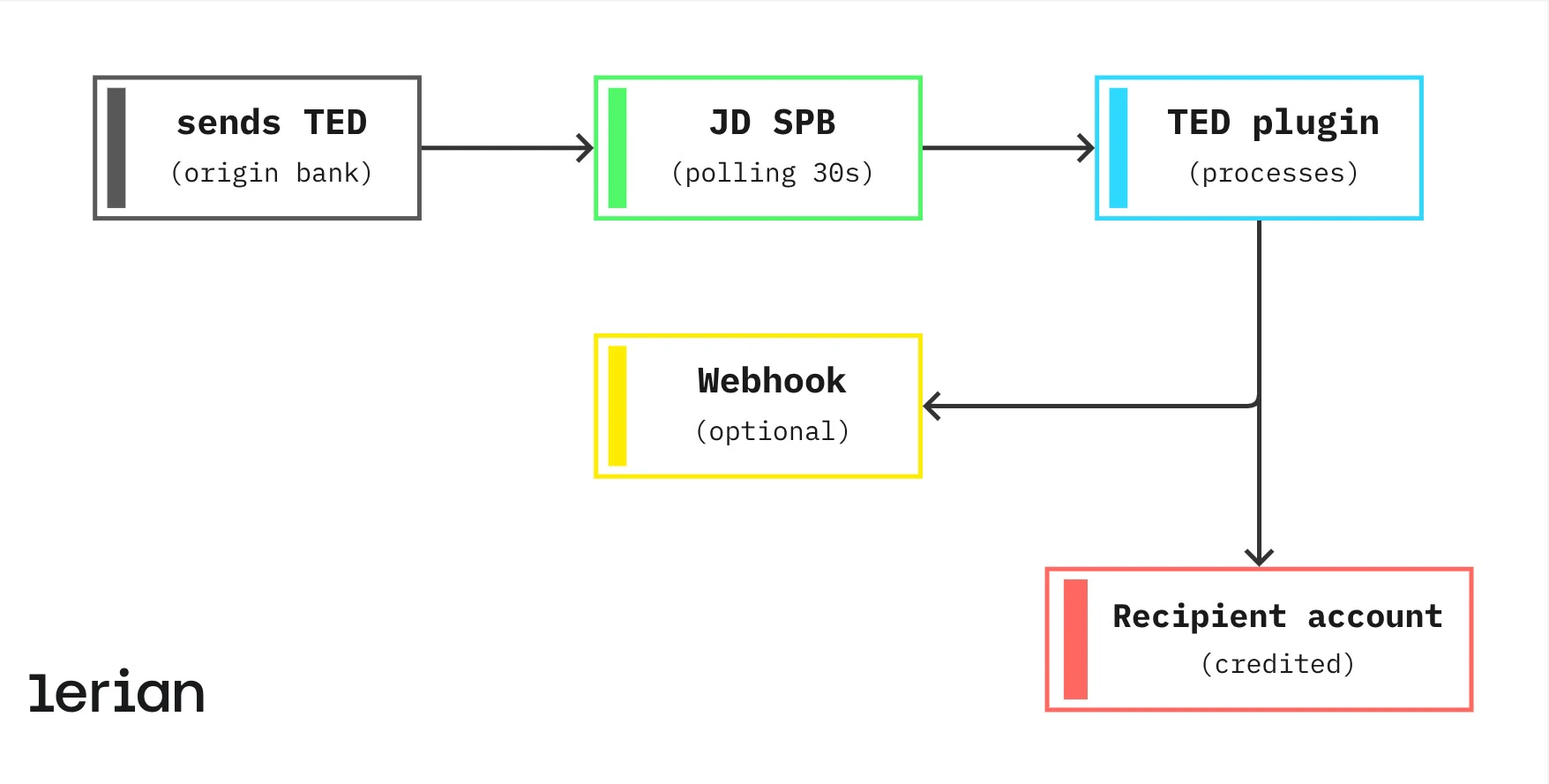
Detection and processing timeline
What your customer experiences after the origin bank sends the transfer:
| Time | What happens |
|---|---|
| T+0s | Origin bank submits the transfer to the BACEN network |
| T+60s | Plugin detects the transfer; status moves to RECEIVED |
| T+32s | Recipient account is looked up and confirmed; status moves to PROCESSING |
| T+35s | Amount is credited to the recipient’s account; status moves to COMPLETED |
| T+36s | Webhook notification is sent to your system |
Transfer states
| State | What it means for the recipient |
|---|---|
RECEIVED | Transfer detected on the network; being processed |
PROCESSING | Recipient account confirmed; credit is being applied |
COMPLETED | Funds have arrived in the recipient’s account |
FAILED | Credit could not be applied (e.g. Midaz rejection), or a chargeback reversed an already-completed credit |
Receiving fee (cashin)
Your organization can optionally charge a fee on incoming transfers. When enabled, the fee is deducted from the amount before it is credited — the recipient receives the net amount. The fee amount and configuration are set per organization via the Fees Engine. Formula:
credited amount = transfer amount − fee
Example: a R2.50 fee results in R$997.50 credited to the recipient’s account. This is the opposite of TED OUT, where the fee is added on top and the sender pays more.
What happens when a recipient isn’t found
If the document number in the incoming transfer cannot be matched to an account in your CRM, the transfer is automatically returned to the origin bank. The sending customer receives their money back. No manual intervention is needed and no funds remain unaccounted for. The inbound message is recorded as an undeliverable incoming transfer (in the
undeliverable_incoming_transfers store) and a devolução (STR0010 return) is dispatched to the origin bank. This path does not create a credited transfer record set to FAILED.
Querying received transfers
Use the List Transfers endpoint to retrieve all incoming transfers. Filter by
type=TED_IN to view only received transfers.
Endpoint: GET /v1/transfers
Response (key fields):
Operational endpoints
Two operator endpoints control the TED IN polling loop. They are intended for scripts and runbooks, not for end-user traffic.
| Endpoint | Purpose |
|---|---|
POST /v1/transfers/ted-in/poll | Manually trigger the JD poller that normally runs on a 60s cron. Useful after an incident window or to validate JD connectivity. Tenant-scoped, but does not require X-Organization-Id because the tenant is resolved from the authenticated context. The route requires X-Idempotency for safe retries; same-key retries replay the cached response instead of reading JD’s destructive queue again. |
POST /v1/transfers/ted-in/replay | Replay persisted, unprocessed TED IN backlog rows that were already fetched from JD. This does not read JD again. The route requires X-Organization-Id for Midaz organization scope and X-Idempotency for safe retries; the tenant is still resolved from the authenticated context. |
triggerTEDInPoller and replayTEDInPoller).
Three distinct dead-letter paths
The plugin uses three separate failure stores. They are not interchangeable and should be monitored independently:
- JD parse failures — stored in
jd_incoming_parse_failures. The message arrived from JD but could not be interpreted (malformed XML, unknown message type). Manual triage required. - Undeliverable inbound transfers — stored in
undeliverable_incoming_transfers. Parsing succeeded, but the credit could not be applied (e.g., recipient account not found). May result in an automatic devolução to the origin bank. - Webhook DLQ — the retry queue for failed outbound webhook deliveries, exposed via
/v1/webhooks/dlq. Unrelated to TED IN ingestion; this is the outbound event channel to integrating clients.
Webhooks
Configure a webhook to get real-time notifications when transfers arrive. The
transfer_incoming.completed event fires as soon as a transfer is credited. See Webhooks for setup and event payload details.
Reconciliation
For accounting and finance reconciliation, each transfer record includes the following fields:
| Field | Usage |
|---|---|
controlNumber | JD SPB control number — unique per transfer, used for interbank reconciliation |
transferId | Lerian internal identifier |
createdAt | Timestamp when the transfer was detected |
completedAt | Timestamp when funds were credited |
Processing guarantees
The plugin is designed so that no transfer is lost and no transfer is credited twice:
- No duplicate credits — each transfer message carries a unique sequence number; the plugin rejects any attempt to process the same message more than once
- Automatic retry on failure — transient errors (such as a momentary service interruption) are retried with exponential backoff before any failure state is recorded
- Dead-letter queue for unresolvable issues — if a transfer cannot be processed after all retries, it is moved to a dead-letter queue for manual review, ensuring nothing is silently dropped