

The Archives page in the Matcher module lets you browse and download archived reconciliation data. Archives are created automatically based on your data retention policies and are organized by time period.Documentation Index
Fetch the complete documentation index at: https://docs.lerian.studio/llms.txt
Use this file to discover all available pages before exploring further.
Accessing the Archives page
Navigate to Matcher → Reporting → Archives in the left sidebar.
Filters
Use the date range filter at the top of the page to find archives within a specific time period:
| Filter | Description |
|---|---|
| From | Start date for the archive search range |
| To | End date for the archive search range |
Archive table
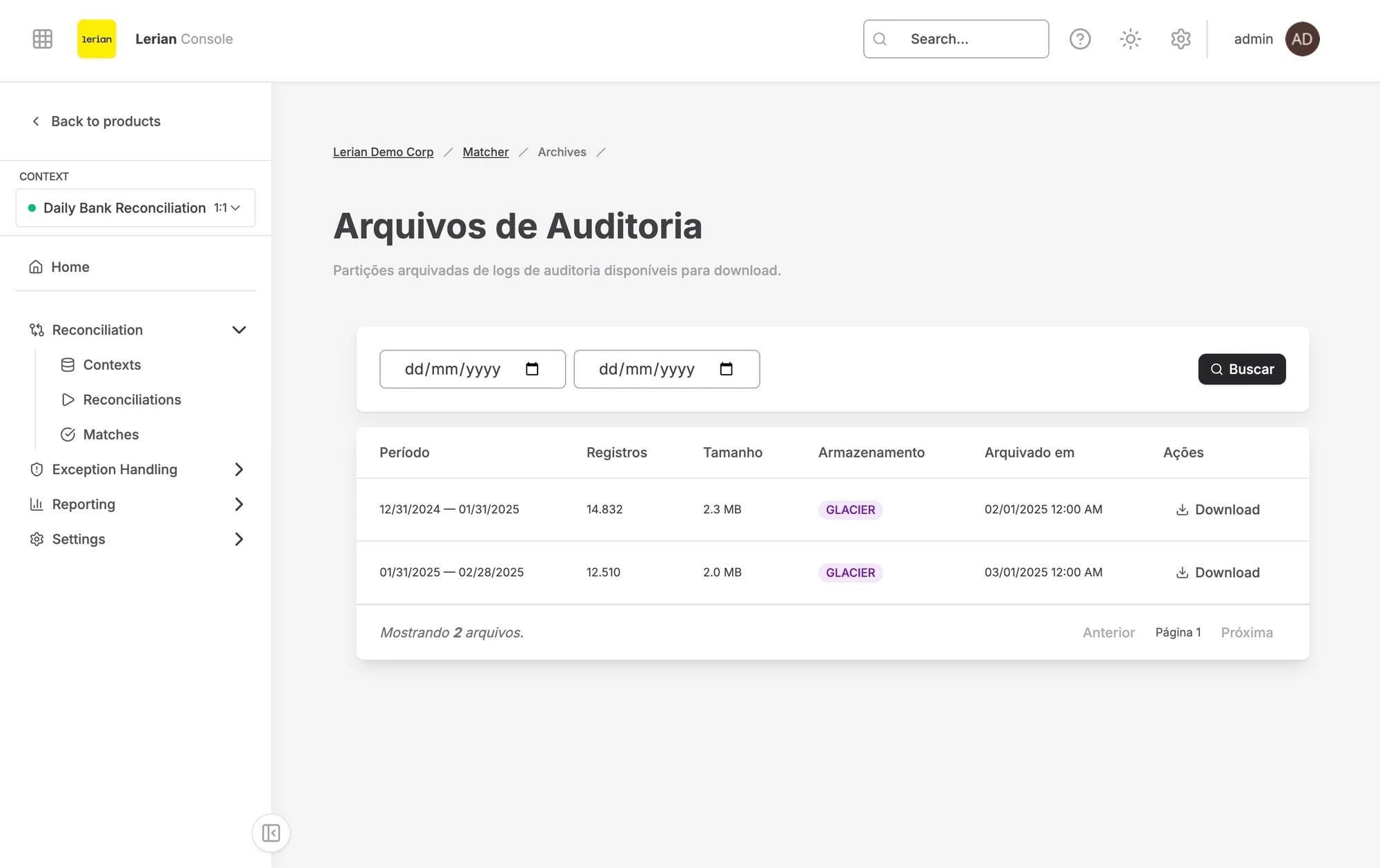
| Column | Description |
|---|---|
| Period | The date range covered by the archive |
| Records | Number of rows stored in the archive |
| Size | Compressed file size of the archive |
| Storage Class | The storage tier where the archive is kept |
| Archived At | When the archive was created |
| Actions | Download button to retrieve the archive file |
Storage classes
| Storage Class | Description |
|---|---|
| Standard | Default storage tier with immediate access |
| Glacier | Lower-cost storage for infrequently accessed archives |
| Deep Archive | Lowest-cost storage for long-term retention |
Retrieval times vary by storage class. Standard archives are available immediately, while Glacier and Deep Archive may require additional time before the download is ready.
Downloading an archive
Click the Download button on any row to retrieve the archive file. The system generates a temporary pre-signed download URL and opens it in a new browser tab.